
 Heard of BYOD, or "bring your own device", to work before? More and more companies are letting or even asking their employees to bring their phones or laptops to work. There are obvious benefits, but also dangers that may not be as obvious. Read on to find out what they are.
You may have noticed more and more of your employees or colleagues bringing their own computing devices to work—be it their mobile phone, tablet, or laptop. Or perhaps in your company or in other companies you may have seen, they have let people decide which device they prefer because they are used to it at home. You may not realize it, but this is all part of a large trend called the "consumerization" of IT, in which the influence of consumer technology is being increasingly felt in the workplace. With the wide availability of cheap but powerful mobile devices and online services, a growing number of people are being exposed to the latest technology at home first—adopting them at a rate faster than most businesses are able to manage. This flips on its head the old paradigm in which traditionally new technologies would be rolled out to businesses first, before they would find their way to consumers.
This trend, plus the increasing sophistication of young workers today and their frustration with the tools available to them at the office, is pushing some companies to adopt a "bring your own device" or BYOD policy at work. They are not alone. According to research by technology analyst group Gartner, end users, not the IT department, will soon be responsible for 50 percent of business IT procurement decisions—ultimately bringing and running their own systems on company networks. Meanwhile, according to management consultants Accenture, around one-third of today's younger generation of workers (a group called "millenials") not only wants to use the computer of their choice at work, but also wants control of the applications they use too.
The benefits companies cite to adopting a BYOD policy are many, among them:
- Savings on capital expenses and training costs in using company equipment—compensating employees instead via other means such as flexible work hours, subsidized purchases, insurance, and other benefits.
- Less management headache—effectively letting employees decide what to use releases the company from some overhead and management responsibilities.
- Improved employee satisfaction—by giving employees the freedom to use devices and applications that they prefer.
- Non-standardization of hardware, operating systems, and applications. If your business operations require that some equipment is integrated with others, then BYOD can in the long run actually increase IT management costs and decrease efficiency.
- Exposing your network to malware or security vulnerabilities and breaches. When your employees bring their own devices to work, you lose important control over their security. Consumer devices often don't employ comparable bullet-proof security technologies mandated by businesses.
- Leakage of confidential or proprietary information. Employees will naturally do what they want with the data on their devices, even if it doesn't belong to them, or it's against company policies. Employees can also lose precious company data when they misplace or damage their personal devices.
- Lower economies of scale in procurement. Essentially because everyone is buying devices on their own, you miss out on the chance to consolidate purchases and lower purchase costs for everybody.
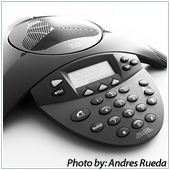 A few years ago, Voice-over-IP or Internet telephony was touted as the next big wave in technology. However, it previously came with a big price tag—but not anymore. With the great strides made in technology the last few years, VoIP is now readily within reach for many businesses—large or small.
 Connecting to wireless hotspots is common nowadays as people travel more, use more portable devices, and are allowed the freedom to work from anywhere. However they can be terribly unsecure. Here are tips you can use to securely connect to hotspots.
 While there are a lot of free tools, applications, and software available on the Internet, it can be a chore sorting out the good from the bad. To make things easier for you, here are a few handy tools you can use to boost productivity while saving on costs.
 The AutoRun feature in Windows for thumb and other portable storage devices is a double-edged sword. While making file management and access for portable storage much easier and faster, it also enables certain types of malware to access and install themselves onto your system.
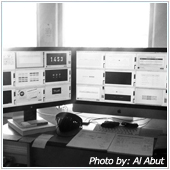 Desktop Virtualization is starting to gain the attention of more and more businesses with its promise of simplifying IT management, strengthening IT security, and ultimately gaining new efficiencies and cost savings in the business. Read on to find out how.
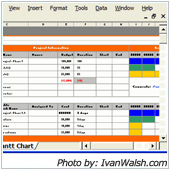 Simply put, Business Intelligence (BI) tools make the process of slicing and dicing large amounts of data easier and faster, so you can gain insight into data to make better decisions. BI tools allow you to view and manipulate large amounts of data and present it in user-friendly format such as via tabular reports or visual charts and graphs.
 The big difference between Android and the iOS is the fact that, on an Android device, you can play Flash videos. There are times however when this seeming advantage can be a disadvantage as Flash (such as Flash ads) can slow down your browsing experience or even crash your browser. There is a solution.
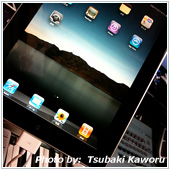 There are times when you may want to capture what is currently being shown on your iPad's screen. That’s easy to do on an iPad.
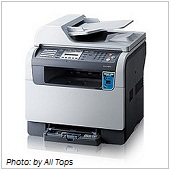 Headaches using printers usually don't have anything to do with hacking, but now they do. Recent research done by experts from Columbia University have discovered a flaw in many printer systems that are connected to the Internet – a flaw that allows easy entry by hackers into the networks printers serve.

