
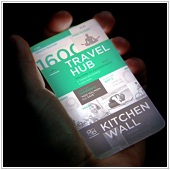
 Microsoft recently posted a video on its website that is the latest in a series from Microsoft offering a view into where technology is headed in the future through product development at Microsoft. The video offers a fascinating and impressive glimpse into the future of work and productivity that may occur in less than a decade.
The video from Microsoft gives us a glimpse into a day in the life of Ayla, a travelling executive, her daughter Shannon, at home with her Dad, and Qin, Ayla's colleague. The video is the latest in a series from the Microsoft Office team. You can see past videos here, or view a behind the scenes video from Kurt DelBane, Microsoft Office Business Division President, who explains the technological concepts behind the video, such as collaborative technologies, data visualization tools, mobile technologies, and cloud computing.
Interested in finding out more? Check out the actual place where this technology is developed by Microsoft demonstrating some of the video's concepts in real life.
 If you own an Android phone, you can use it as a substitute for an external drive or a USB key. You can load files into your phone simply by plugging it in to a PC with a USB cable, then tapping on “Mount” when you are prompted by the system.
 A hard drive shortage threatens to impact the worldwide computing industry due to the floods in Thailand. The majority of the world’s hard drive factories are located in Thailand and are struggling to recover pre-flood production levels.
 Some companies have decided to tap into the phenomenon of social networking to create similar networks within their own organizations. While this can do wonders with the way every member of the business communicates with each other, it’s important to have proper and specific rules that pertain to its use.
 If you are in the habit of using passwords like 'password', 'qwerty' or '123456', you may be helping hackers and online thieves steal your data. Security experts have compiled a list of the 25 most common passwords – passwords that you should avoid.
 If you are using Windows Gadgets (or those small mini-applications that are embedded on your desktop that show interesting things like the latest news, weather updates, or sports scores), you may sometimes wish you can just quickly hide them to declutter your workspace.
 A joint operation between the United States Federal Bureau of Investigation (FBI), authorities in Estonia, and IT security firm Trend Micro recently put down a massive bot network that victimized an estimated 4-5 million users around the globe.
 Have you ever sent an email and then immediately regretted sending it? If you are using Gmail as your mail client, you can do just that with an interesting but buried option in Gmail settings.
 With mobile devices becoming more accessible, many are finding it more comfortable and more productive to use these devices not only for personal purposes, but also for work. This may seem to be a good thing initially, but it also means that you have less control over the way these devices access your IT system. The best thing to do is to have a good IT security policy in place to make sure that important company data is not compromised.
 Do you prefer Bing over Google but like Google's sparse but fast loading page better? With this tip you can get the best of both worlds.

