
 At E3 (an annual technology conference) this year, a new video game was showcased. Watch Dogs, set in the near future, is a game about an elite hacker who can hack into any device as long as it has a Wi-Fi connection. In the short demo, you see the character listen in on private conversations, hack streetlights to create havoc and steal a person’s information. While this is only a video game, it’s based on what one can currently do with and to Wi-Fi devices, many of which you probably utilize when you’re out of the office.
It’s a good idea to connect to public networks that require passwords when possible, as they tend to be more secure. Many public networks have a legal disclaimer stating network use and security. It pays to read these before connecting.
Turn Wi-Fi off We don’t mean you should turn your Wi-Fi off permanently, rather, when you’re not using your device, or are connected to another network, e.g., mobile data, turn your Wi-Fi connection off. If you have Wi-Fi on while connected to another network, your device can and will actively search for networks to connect to and often connect to an unsecure network, unintentionally exposing your information.
Use HTTPS when possible HTTPS stands for Hypertext Transfer Protocol with Secure Sockets Layer (SSL). In layman's terms this is a website that has been built with security of user’s data in mind. Many popular websites have a HTTPS version that can be accessed by typing in https://www.sitename.com. Using HTTPS makes websites a lot harder to hack, and it’s a good idea to get into the habit of using them when on a public network or connected to Wi-Fi outside of the office.
Use data not public hotspots Hotspots are public Wi-Fi connections usually provided by a company e.g., many coffee shops have Wi-Fi, this is a hotspot. These can be unsafe, so it’s much better to invest in a data connection for your device, or a mobile Internet stick, which are considerably safer as the data is encrypted before it’s transferred from the cell tower to your device.
Use a VPN A Virtual Private Network - VPN - connects multiple computers in different locations to the same network via the Internet. Many companies use this to connect and share data with satellite offices, as the data is encrypted and secure. The main benefit to VPNs is that you can connect to a public Wi-Fi network, and transfer data securely using the network’s bandwidth. Many businesses use some form of VPN, which makes it easy for you to keep your business data secure while out of the office.
There are also VPNs that allow you to securely access the Internet via a public Wi-Fi connection, while encrypting all data sent and making your computer anonymous. It’s recommended that if you’re out of the office a lot, to look into a VPN and follow these other tips. If you’re interested, we may have a solution for you, so please contact us.
 One of the most tiring things for small business owners is attending seminars and presentations. While they often give you great ideas on how to improve your business, they’re a tiring affair, especially when you have to travel to get to them. Technology has a great way for you to attend/conduct seminars via the Web, a webinar.
 It’s common knowledge that the number of work related injuries is rising. While many traditional injuries happen while working high risk jobs, the majority of injuries are now happening to employees who sit for long periods of time. As many employees sit at a computer for a long period of time, they are at risk. Let’s face it, healthy employees are better for your business.
 A smart organization is one that can act in a proactive manner to take advantage of rising trends and stay ahead of their competition. One way an organization can remain proactive is through the use of Business Intelligence (BI). Interestingly, many small businesses don’t implement BI and have found themselves lagging behind their competitors. Is your business using BI?
 In business, a properly formatted document can go a long ways in showcasing how professional your company is, and often times, is the the main way to set your company apart from other competing entities. If you have a longer document, say a proposal, you’re going to need a Table of Contents (TOC). Instead of struggling to make your own, you can use stylized headings and have Word create one with two clicks of a mouse.
 The recent LinkedIn password breach and the various Mac and Windows Trojan horses have many small business managers wondering if their data is actually safe. Even if you take steps to ensure safety, they may not be enough and your data may still be at risk. One method companies could implement is two factor authentication.
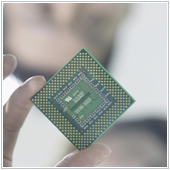 A few months ago Intel released the Ivy Bridge processor. Subsequently, computer manufacturers have been releasing computers with the processor and have been extolling the benefits of upgrading, along with some new features like Turbo Boost. These terms can be confusing and could trick you into unnecessary upgrades.
 Disasters happen on a daily basis. Sometimes they’re big, wiping out communities, other times they’re small, affecting one online machine or computer. No matter the size of disaster, it pays for businesses, especially small businesses, to prepare for the worst. The only problem is, many small businesses don’t prepare and pay the price.
 Malware is an ever present threat that PC, and to a lesser extent Mac, users have to live with. There is a high chance that your computer will at one time come under attack, or you will inadvertently install a piece of malware. There’s a new scheme you should be aware of involving Facebook photo notification emails.
 One of the most common ways to connect peripherals to your computer is by using a USB connection. You can connect a multitude of things, including your phone, external hard drives, mice and keyboards. Often many employees will plug one of these in, and when they’re done using it just unplug it. Doing this could damage your device.

